Submit artwork with Create & Earn
For contributing artists: Create & Earn submits original artwork to the shared library. To make a personal Postcard for someone, use How to create and send a Postcard instead; that flow starts by choosing existing artwork on Home and does not require this upload control.
Submit individual artworks for review through Create & Earn in the web app. This feature requires a connected, authenticated wallet on a supported EVM network: Ethereum, Base, BNB Chain or Arbitrum. It is not available through Solana, Telegram or the standalone Posted.art iOS/Android apps. Inside Farcaster, it requires a supported EVM connection.
Open Create & Earn
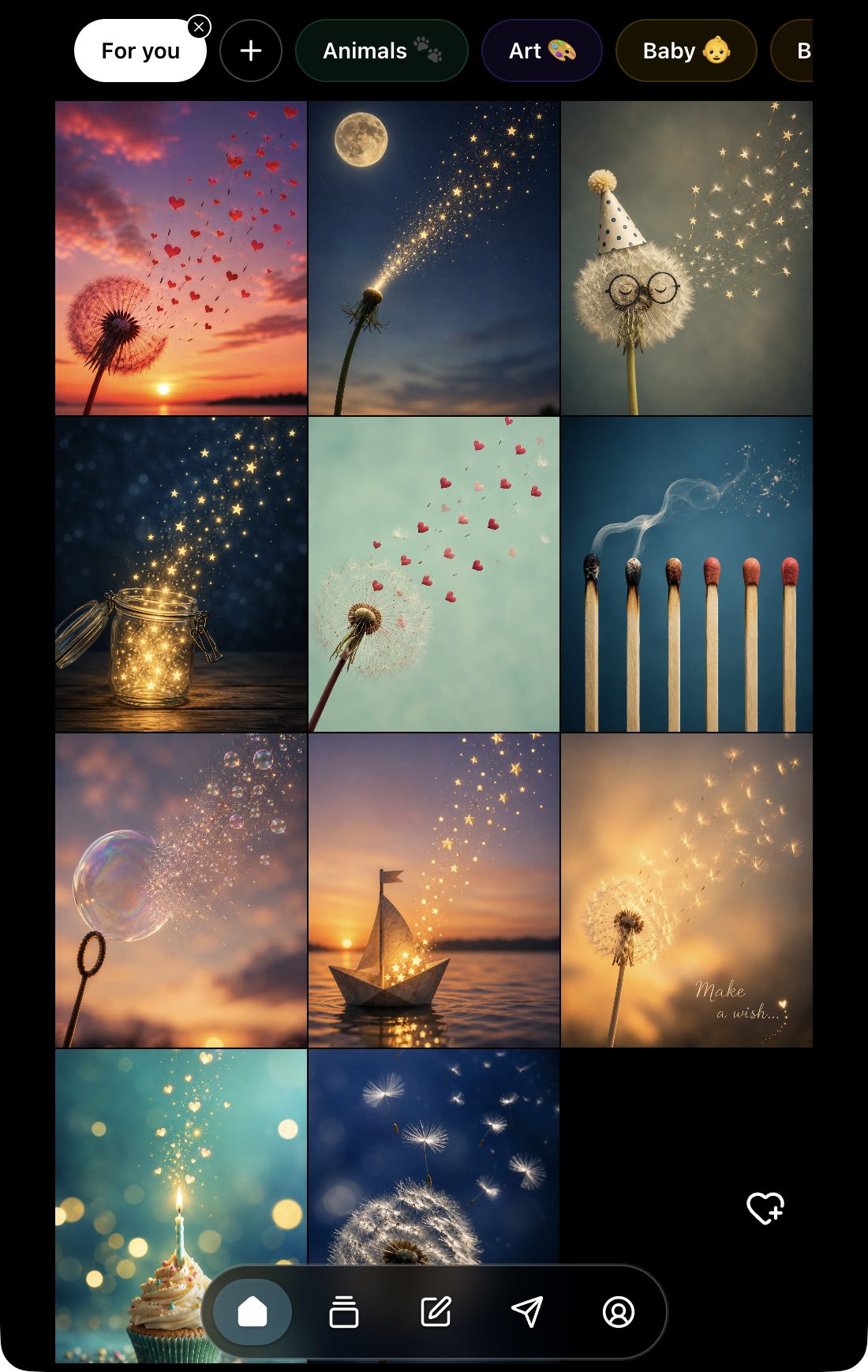
Select the heart-plus Upload postcard control at the lower right of Home. If the control is missing, check your wallet connection and network. The heart-plus is an upload action, separate from saving an artwork to Favorites.
Check your connected wallet before submitting. Your submission is associated with that creator wallet, which is used for creator proceeds when the approved artwork is purchased as an Art Certificate. Connect the wallet where you want to receive those proceeds.
Prepare your file
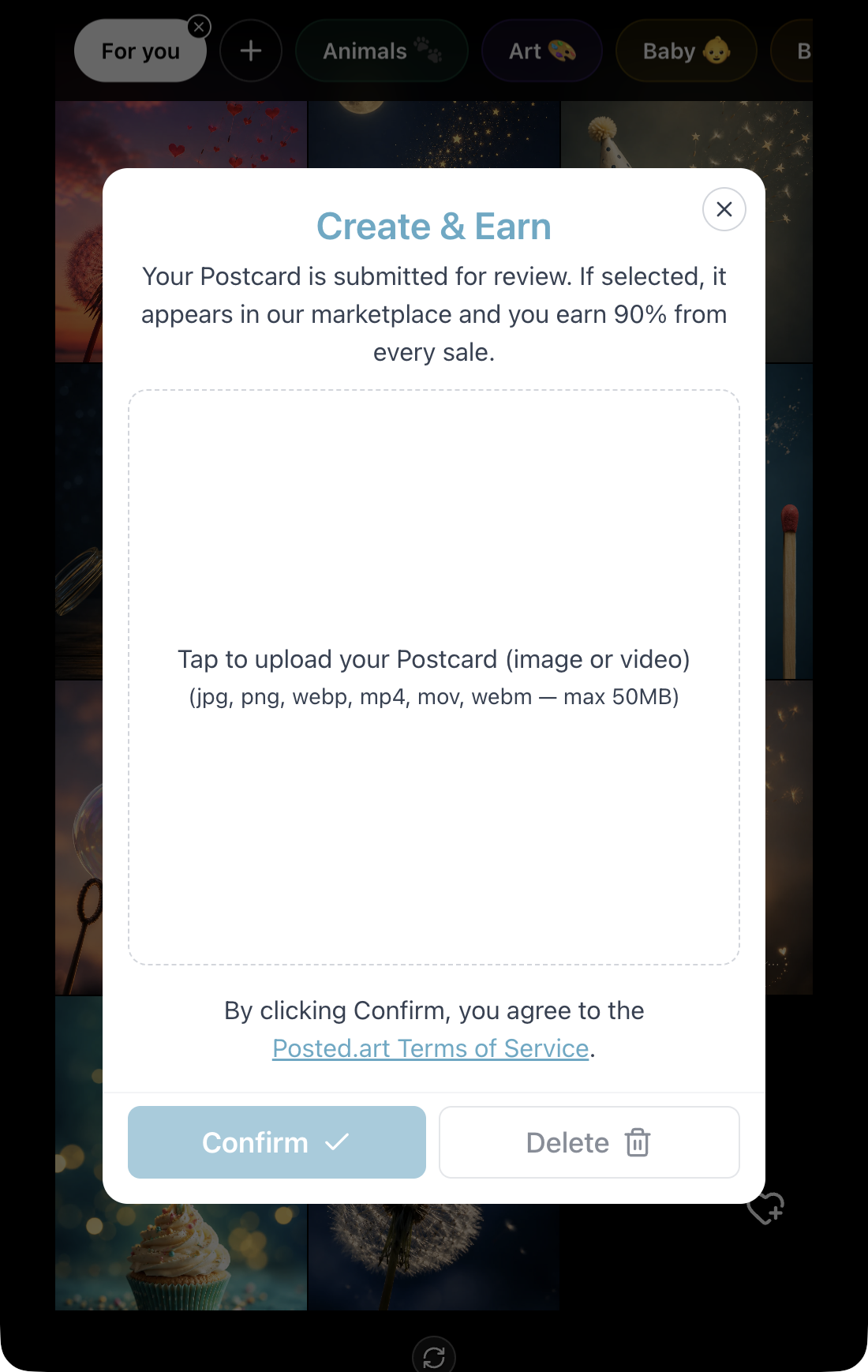
The upload panel accepts JPG, PNG, WebP, MP4, MOV and WebM, with a maximum file size of 50 MB. If your photo is in another format, export it to a listed format before uploading.
Files are prepared automatically:
- Images become WebP.
- Videos become silent MP4, up to 10 seconds after conversion.
- Landscape media is centre-cropped to square.
- Portrait media keeps its ratio up to 9:16; taller media is centre-cropped to 9:16.
- Smaller media is not upscaled.
Choose a file in the upload area and check the converted preview, especially important details near cropped edges. Review the Terms of Service, then select Confirm to submit for review.
Moderation before publication
Every submission is reviewed by Posted.art before it is added to the library. The review checks that the artwork is suitable as a reusable Postcard and meets the content requirements.
Submitting does not publish the artwork immediately or guarantee acceptance.
Individual uploads, series and special editions
The upload form is intended for individual Postcards. Unless a different arrangement is agreed before publication, submissions use unlimited editions. Posted.art assigns an appropriate category and, where applicable, a series name.
The form does not let you specify a series name, limited-edition quantity or premium price. Use the FAQ contact section to arrange these before publication:
- Named series: at least 12 Postcards with a unique series name, agreed with Posted.art so approved work can appear together on Home.
- Limited editions: agree the desired quantity. Edition quantities apply separately per supported network.
- Premium or special pricing: agree the price and edition arrangement with Posted.art.
For a complete series, contact Posted.art rather than uploading every item through the individual form. Arrange a file-sharing link for the complete series, and include your creator-wallet address, proposed series name and any requested edition limits or pricing. Never share wallet recovery words or private keys.
Creator proceeds
The current primary-sale revenue split and secondary-royalty conditions are maintained in FAQ — How does creator revenue work?.
Creator proceeds go to the wallet associated with the submitted artwork, not the buyer's wallet or a personal Postcard's recipient. Primary Art Certificate sales, personal Postcard delivery fees and secondary resales are separate; do not apply one product's revenue terms to another. Review the FAQ's current terms before submitting.
Screenshot applicability
The upload screenshots show the EVM web interface. They can illustrate matching Create & Earn controls inside Farcaster with a supported EVM connection. Do not use them to suggest that uploading is available in native Posted.art apps, Telegram or Solana. See screenshot guidance.