
Favorites
Favorites keep artwork you like associated with your connected account. They are separate from the personal Postcards you create and share.
Save or remove a Favorite
On the artwork's Card page, select the heart. A red heart means the artwork is saved to your Favorites. Select the red heart again to remove it.
If you are disconnected, follow the account-connection prompt first, then select the heart to save the artwork. In iOS, the prompt offers Continue with Apple. Other clients use their own connection method; see Account.
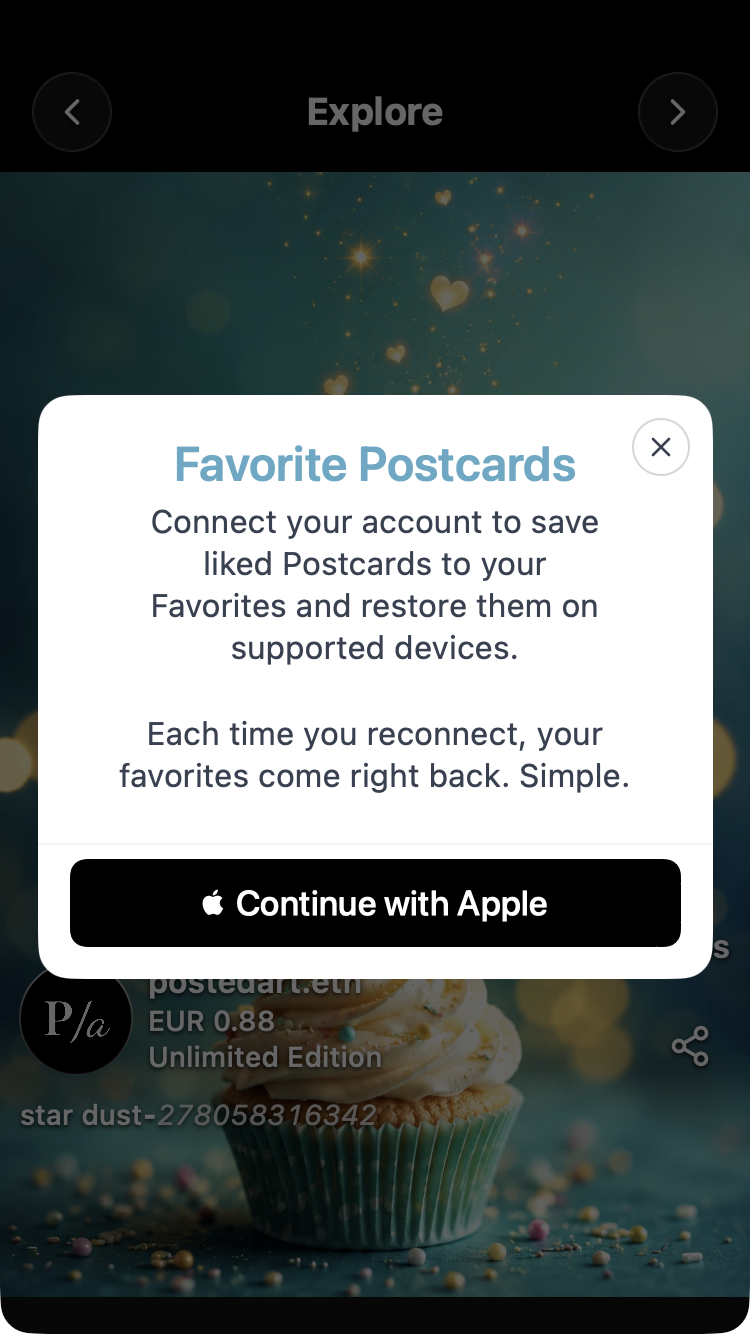

Find your Favorites
- Open Home using the bottom house icon.
- Select the plus in the top category row to open Search. Scroll the row back to its beginning if needed.
- Select Favorites to load your liked artwork directly into Home. You do not need to press Search separately.
The For you pill is highlighted while Favorites results are active. Select its small cross to return to ordinary Home browsing.
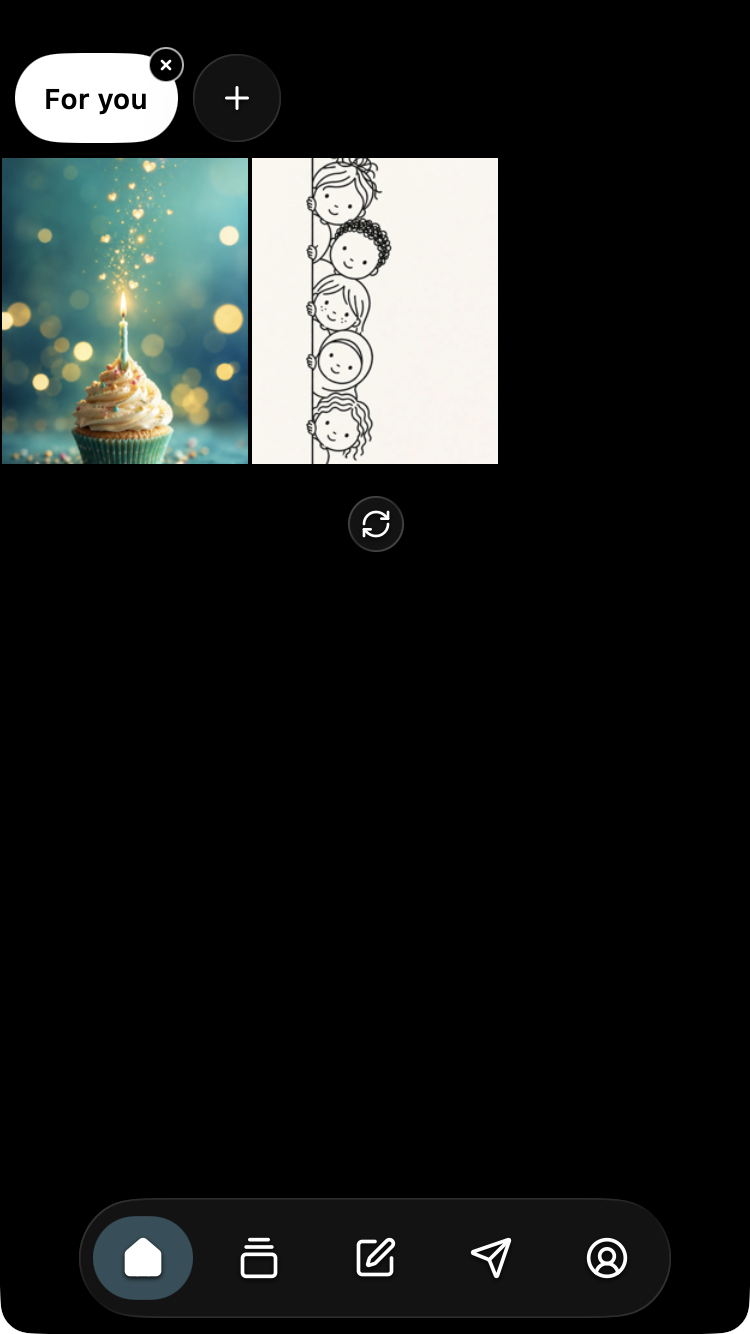
Favorites are retrieved for the connected account separately from the ordinary Home selection. Refreshing ordinary Home is not how you restore an account's Favorites.
Why are my Favorites different or missing?
Check that you connected with the same account or wallet identity used when saving the artwork. Apple, Google, Telegram and wallet identities can have separate Favorites lists; do not assume that using the same display name merges them.
You can connect from Account using the bottom person icon. Follow the connection steps for your client, then return to Favorites.
The Card-page like count is shared across accounts, while the red heart reflects only the current identity. Artwork liked through another identity can contribute to the total without appearing in this identity's Favorites.
If expected results remain missing after checking the account, use the FAQ contact section for help.
Screenshot applicability
The red-heart artwork and Home Favorites results illustrate the common interface across iOS, Android, web/PWA, Telegram and Farcaster. The Apple connection prompt is specific to iOS; use the appropriate connection guidance for other clients. See screenshot guidance.