
Telegram
Open the Posted.art Mini App from its Telegram bot. It starts on Account and connects using your Telegram account. You do not separately sign in with Apple, Google or a wallet. The Connected button shows the Telegram paper-plane symbol.

Your Telegram profile and Account
Posted.art uses the name, username and profile photo supplied by Telegram, when available. Your sender name and photo personalize the recipient's Postcard experience. Manage those details in Telegram rather than expecting a separate Posted.art photo-upload control.
Account shows your profile and Your Postcards. It does not include the standalone native apps' Settings menu or Scheduled Postcards. Art Certificate NFTs and Create & Earn are not available in Posted.art's Telegram flow.
Browse, write and share
From Account, select the bottom Home icon to browse artwork. Follow the shared Home/search, Card, Write and Share instructions. The same search, series and canvas controls apply when the depicted state matches.
On Share, select the dollar sign or top-right chevron to open the personal Postcard confirmation. This is separate from buying an Art Certificate, which is not a Telegram feature.
Free Postcard
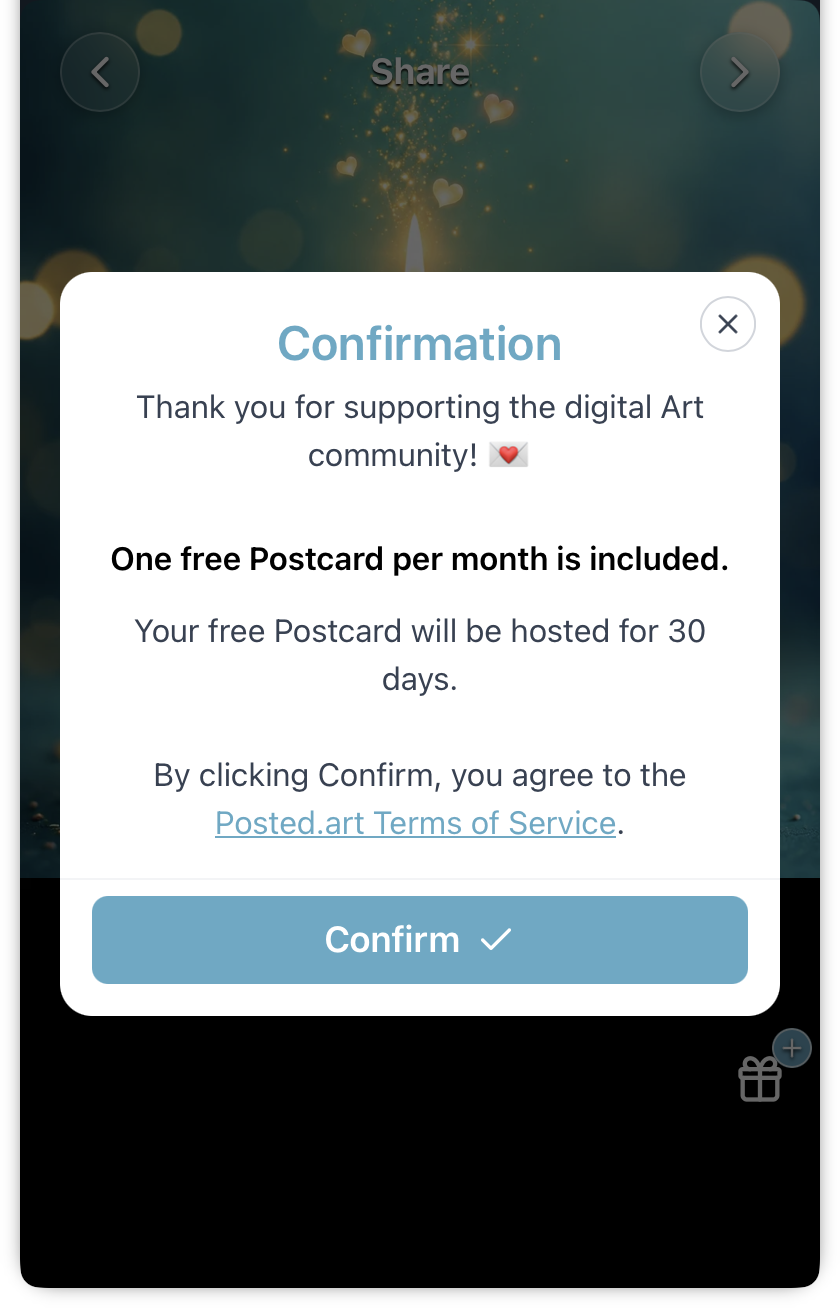
When your account is eligible, Confirmation offers a free Postcard with 30 days of hosting, a Terms of Service link and Confirm. A free Postcard does not require Stars payment. See pricing for eligibility.
View the shared free-Postcard confirmation. This confirmation also applies to eligible web wallet accounts; it is not a paid Stars screen.
Pay with Telegram Stars
When payment is required, checkout shows the current amount in Telegram Stars. See FAQ — current prices for the base price and optional extension charge.
The base option includes five days of hosting. Selecting Add 30-day Postcard hosting adds the extension charge and updates the total for thirty days total, rather than thirty additional days.
Review the displayed total and Terms of Service, then select Confirm to initiate Telegram's payment interface. Follow Telegram's prompts to review and complete payment. Opening checkout alone does not confirm a purchase.
Screenshots: five-day Stars checkout and thirty-day option selected. Telegram's system payment screen can differ; these images show Posted.art's confirmation before that handoff.
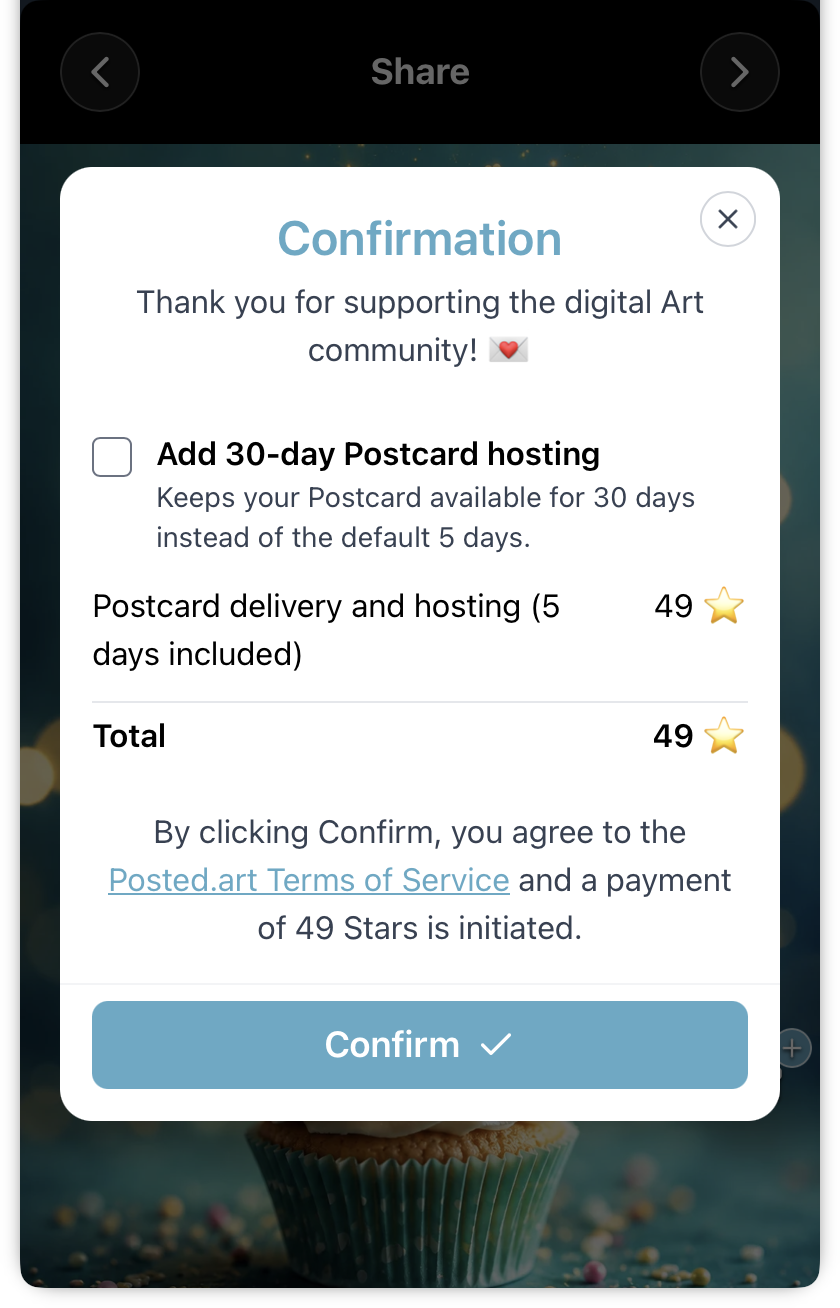
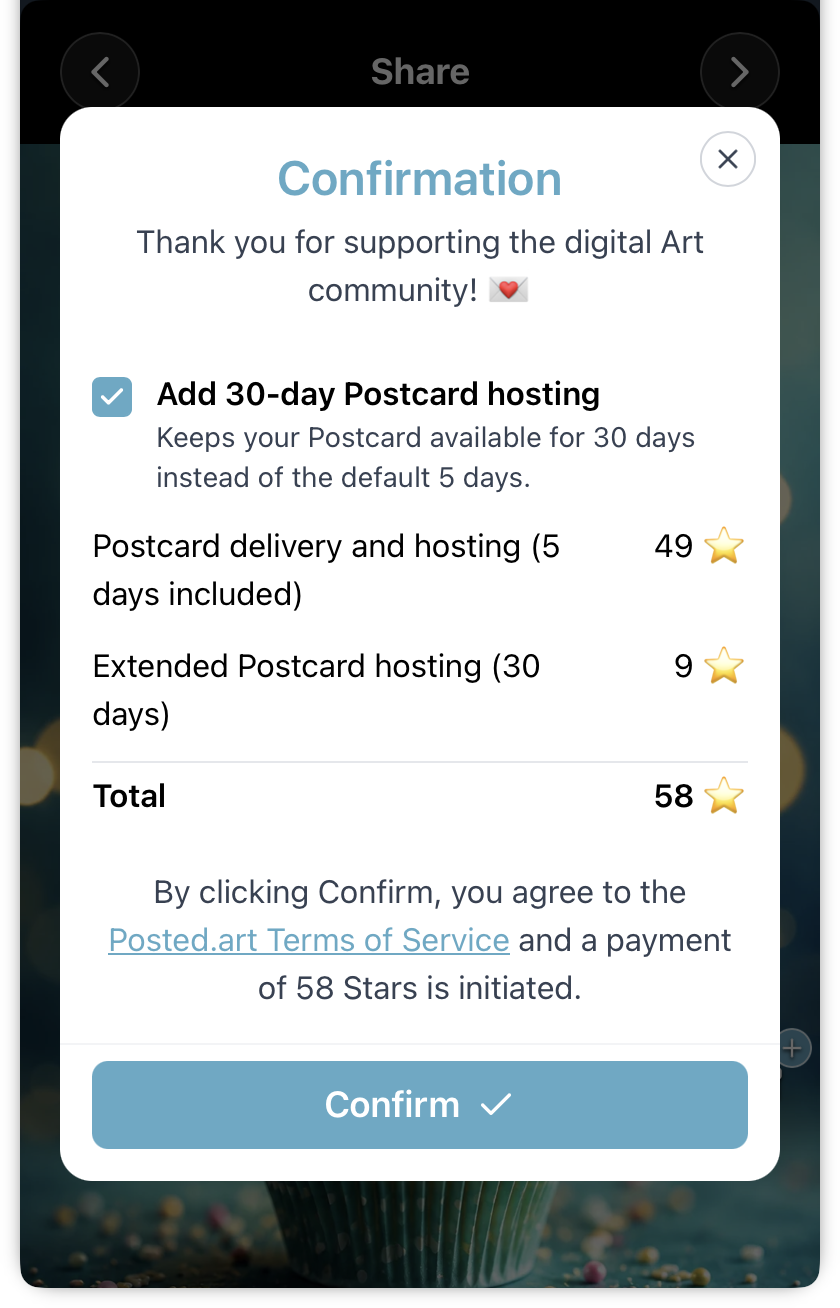
Stars are Telegram's payment unit, not cents. Do not assume a one-to-one conversion between Stars and dollars or cents. Telegram handles how Stars are purchased and billed. Prices visible in the example screenshots may be outdated; use the current FAQ and checkout.
When the Postcard is ready
After successful creation, Postcard is Ready! provides the QR code, link and Share button. Use the shared ready panel and finished Share controls to identify the common controls.
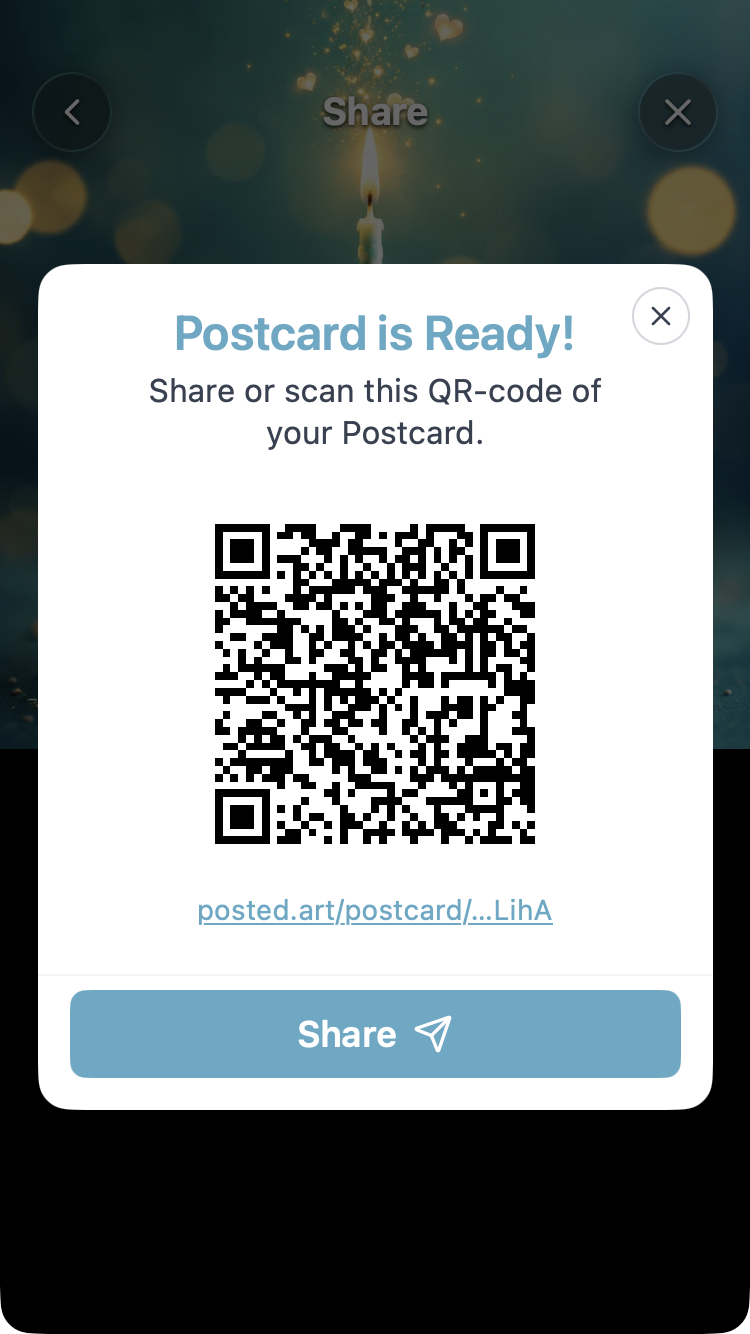

Choose a sharing destination and complete sending the link yourself. A ready Postcard does not mean the recipient has already been messaged. See sharing.
Select a circular thumbnail under Account → Your Postcards to reopen a created Postcard while it remains hosted. See Account for reviewing and deleting it.
Disconnect and reconnect
Selecting Connected disconnects the current Mini App session. Navigating through the Mini App can trigger automatic connection again; it is not a persistent signed-out browsing mode.
If the app does not connect, close the Posted.art Mini App and reopen it from the bot. You do not need to sign out of Telegram itself. If the problem persists, report the visible error using the FAQ contact section.
Screenshot applicability
Use the Telegram header and Stars checkout images for Telegram-specific help. Reuse the matching common Home, Card, Write and Share screenshots, including those originally captured on another client.
Do not substitute native Apple/Google sign-in, subscriptions, scheduling or EVM Account/NFT screenshots for Telegram steps. See screenshot guidance.